

SmartOffice Developer Documentation

SmartOffice Developer Documentation

    ›iOS SDK

    Introduction

    • About our SDKs

    Android SDK

    • Getting started
    • Document lifecycle
    • File operations
    • Word documents
    • Excel documents
    • Powerpoint documents
    • PDF documents

    iOS SDK

    • Getting started
    • Document lifecycle
    • Document handlers
    • Word documents
    • Excel documents
    • Powerpoint documents
    • PDF documents

    macOS SDK

    • Getting started
    • Document lifecycle
    • File operations
    • Word documents
    • Excel documents
    • Powerpoint documents
    • PDF documents

    Windows SDK

    • Getting started
    • Document lifecycle
    • File operations
    • Word documents
    • Excel documents
    • Powerpoint documents
    • PDF documents

    Getting started

    System requirements

    • Xcode minimum SDK: 9
    • iOS minimum version: 11.0

    Adding the SDK to your project

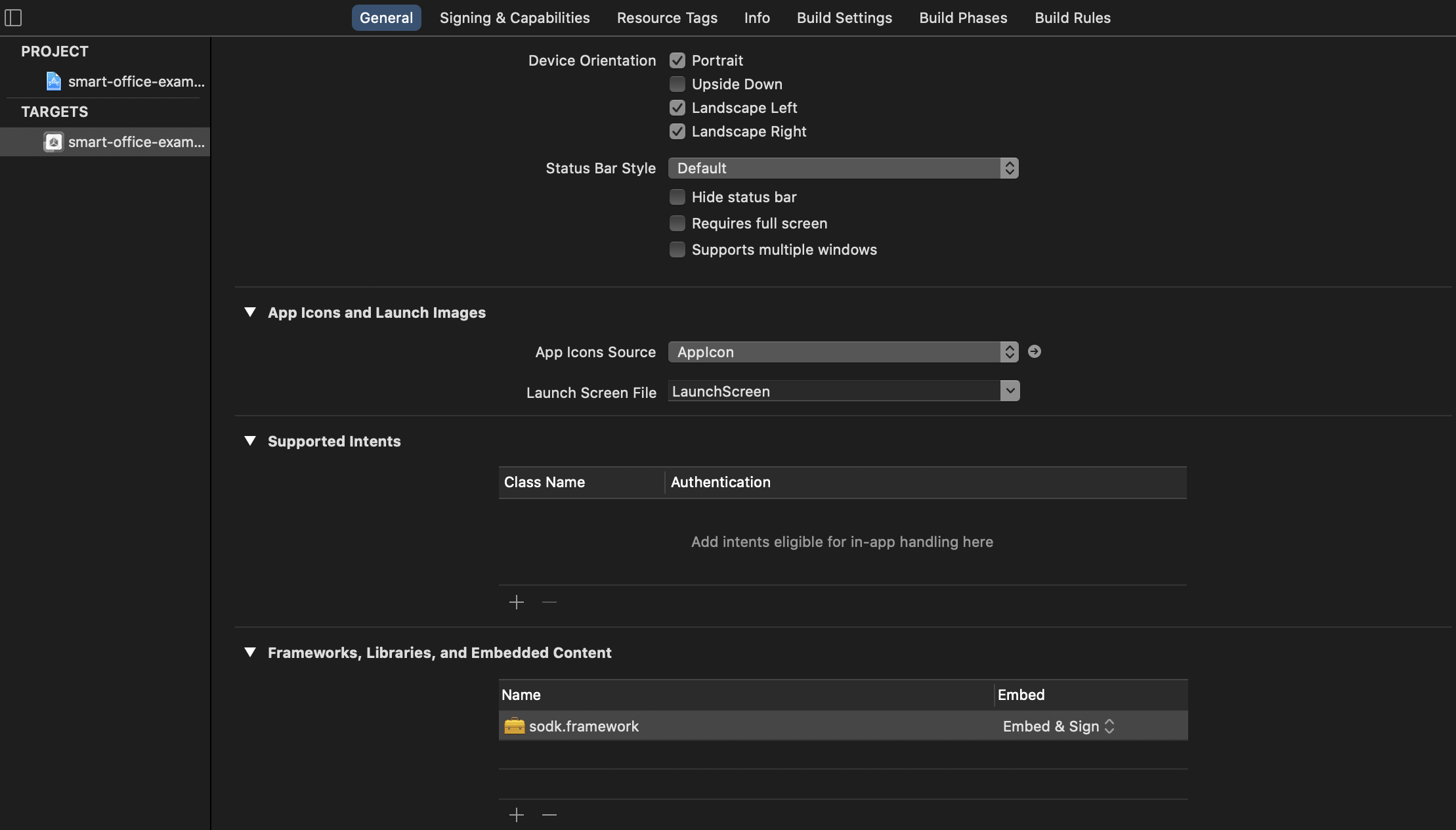
    You should have been provided with a sodk.framework file for your project. This file is effectively the SmartOffice Developer Kit and contains all the SDK code required for your projects.

    The linked framework should be added to your project file system and then referenced in the Frameworks section in Xcode.

    See the Xcode screenshot below for an example:
    Verify your integration

    To ensure you have correctly added the framework to your project ensure that your relevant source code files can reference the SDK via your Objective-C or Swift code.

    Objective-C
    Swift
    #import <sodk/sodk.h>
    import sodk
    ← PreviousDocument lifecycle →
    • System requirements
    • Adding the SDK to your project
    • Verify your integration
    SmartOffice Developer Documentation
    Copyright © 2020 Artifex Software Inc. All rights reserved.